
IP Warming in Salesforce Marketing Cloud should not require an Excel spreadsheet. And it definitely should not require a human to log in every morning, check a cell value, manually update a row limit, and hope they typed the right number.
But that is exactly how most agencies handle it — and for enterprise brands sending at volume, one manual typo on Day 3 of a new IP warm-up can blacklist your IP with Gmail before your reputation is even established.
At Genetrix, we do not leave enterprise deliverability to manual data entry. We engineer it.
The Manual IP Warming Problem at Scale
When an enterprise company migrates to a new dedicated IP address — whether due to a platform migration, a new sending domain, or a deliverability remediation — it must slowly throttle its email volume over 30 to 45 days. The objective is to build a positive sender reputation with ISPs like Gmail, Yahoo, and Microsoft by demonstrating consistent, low-complaint sending behaviour before ramping to full volume.
The standard warm-up schedule is straightforward in principle: send to your most engaged subscribers first, gradually expand the audience, and never spike the volume. In practice, executing this across a complex SFMC instance with multiple business units, suppression lists, and live journeys running in parallel is anything but simple.
The Genetrix Automated IP Warming Framework
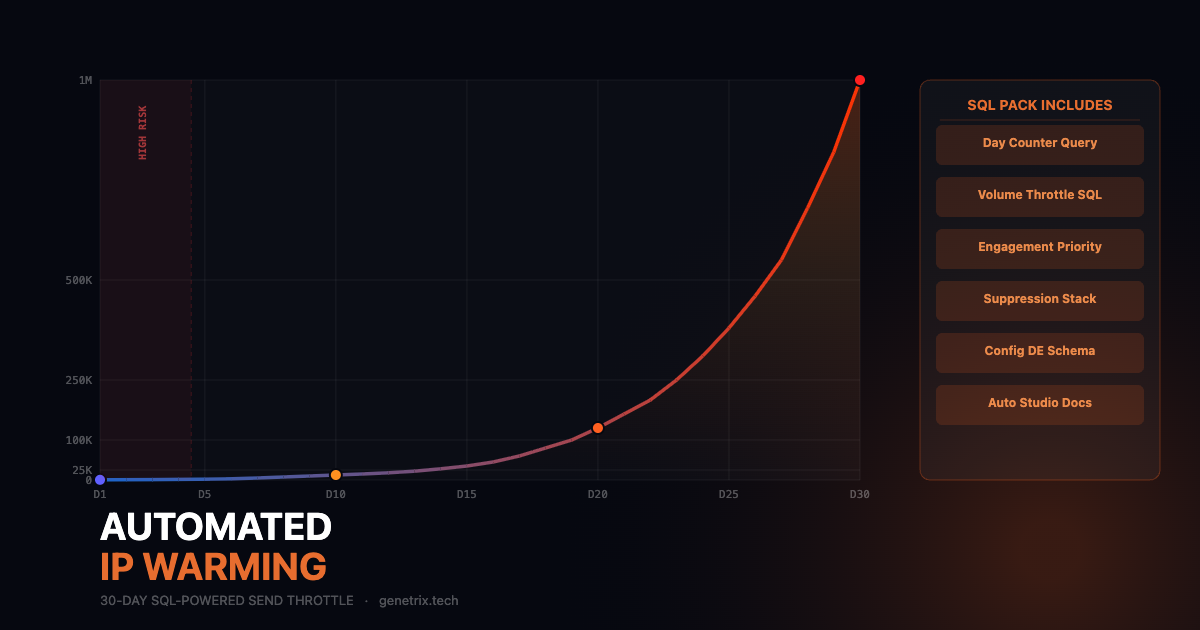
We built a dynamic SQL and Automation Studio system that programmatically throttles your audience size based on the day of the warm-up schedule. You configure the schedule once, turn it on, and the architecture mathematically scales the send volume safely over 30 days. No spreadsheet. No manual logins. No single point of human error.
What the IP Warming SQL Pack Includes:
- The Day-Counter SQL query — automatically calculates the current warm-up day based on the campaign start date stored in a configuration Data Extension
- The Volume Throttle SQL query — dynamically selects the correct audience size from your master sendable DE based on the current day’s target volume
- The Engagement Prioritisation SQL — ranks contacts by recent open and click activity so your warm-up audience always starts with your most engaged subscribers
- The Suppression Stack query — stacks global unsubscribes, bounce suppressions, and frequency caps before the throttled audience is passed to the send
- Full Automation Studio canvas documentation — the exact 3-step process: Query Activity → Email Send Activity → Logging Query Activity
- The configuration Data Extension schema — the single lookup table your queries reference to determine target volume by day
Free PDF · SQL queries + Automation Studio docs · 30-day automated warm-up
How the Architecture Works
The system uses a single configuration Data Extension with two columns: WarmupDay (integer) and TargetVolume (integer). Your 30-day schedule lives in this table — Day 1 sends to 500, Day 5 sends to 2,000, Day 15 sends to 25,000, and so on. You populate this table once at the start of the warm-up, and the system reads from it automatically on each daily run.
The Day-Counter query calculates today’s warm-up day by comparing the current date to the CampaignStartDate stored in the same configuration table. It passes that integer to the Volume Throttle query, which uses a TOP N SELECT with a JOIN back to your master sendable DE to return exactly the right number of records — always prioritised by engagement score.
Volume_Throttle_Query.sql
/* IP Warming Volume Throttle — Genetrix SQL Pack */
SELECT TOP (
  SELECT TargetVolume
  FROM [IP_Warmup_Config]
  WHERE WarmupDay = DATEDIFF(day, CampaignStartDate, GETDATE()) + 1
)
  c.EmailAddress,
  c.SubscriberKey,
  c.EngagementScore
FROM [Master_Sendable_DE] c
LEFT JOIN [Global_Suppression] s ON c.EmailAddress = s.EmailAddress
WHERE s.EmailAddress IS NULL
ORDER BY c.EngagementScore DESC
Frequently Asked Questions
Yes, with modification. For multi-BU instances, you will need a separate configuration DE and automation per BU, since the warm-up schedule for each BU’s dedicated IP may differ. The SQL queries are designed to be adapted — the configuration table schema makes it straightforward to add a BusinessUnitID column and filter accordingly.
The pack includes a recommended baseline schedule based on the ISP guidelines from Validity (formerly Return Path) and Salesforce’s own deliverability documentation. However, your optimal schedule will depend on your list size, your historical engagement rates, and the ISPs your audience primarily uses. For high-volume senders (1M+ per month), we recommend running the schedule past a deliverability specialist before go-live.
The Volume Throttle query will return zero records if no matching WarmupDay exists in the configuration table — which means the send fires to an empty audience and exits cleanly with zero sends. This is intentional behaviour and acts as a natural safeguard. The pack documentation includes guidance on how to configure a fallback behaviour if you prefer a different response.
Yes. Re-warming after a blacklisting or significant bounce spike follows the same throttle logic as a fresh warm-up. The key difference is your starting volume, which should be lower for a re-warm, and your engagement prioritisation, which should be more aggressive — targeting only the highest-engagement segment until your reputation stabilises. The configuration table makes both adjustments trivial.
Protect Your Deliverability. Engineer It.
Genetrix designs enterprise email infrastructure that eliminates manual risk. Whether you are migrating to a new IP, recovering from a deliverability incident, or building a bulletproof sending architecture from the ground up, our team brings the technical depth to do it right.









