
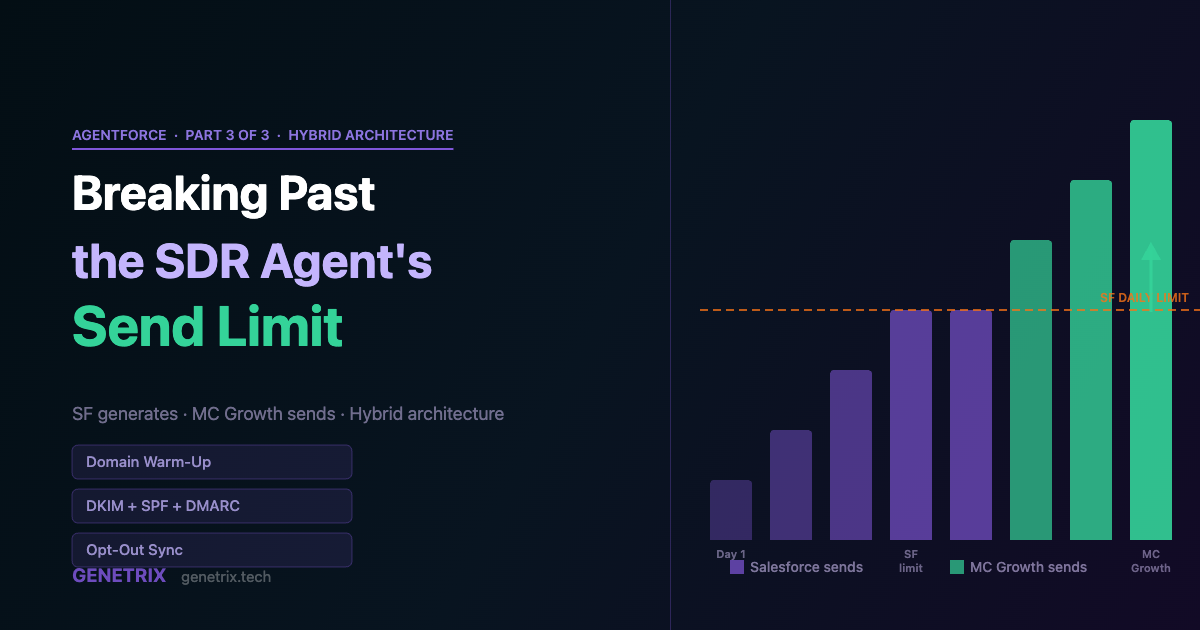
The Customer Engagement Agent on the Buyer Engagement template is a good product. For a mid-market B2B programme sending to a few thousand Leads a month, it covers everything: generation, personalisation, reply handling, meeting booking, and a full audit trail. For programmes targeting tens of thousands of prospects a month, it hits a ceiling — not a technical one, but a platform one. Salesforce’s per-org daily send limit eventually becomes the constraint, and no amount of agent configuration changes it.
This post is about what happens when you run into that ceiling and what you do about it. The answer is a hybrid architecture: Salesforce still runs the agent and generates the content, but the send itself moves to Marketing Cloud Growth — a separate product with different volume economics. This architecture is live in production. It involves real trade-offs, and setting it up correctly requires work the platform doesn’t do for you.
01 — Why Marketing Cloud Growth Has Different Volume Economics
Two products, two send models
Marketing Cloud Advanced (the send channel for the native Customer Engagement Agent) operates inside the Salesforce platform boundary. Its per-day and per-month send volumes are governed by the same limits that apply to other platform email activity. For most organisations this is fine. For high-volume outreach programmes, it isn’t.
Marketing Cloud Growth is a separate, newer product. It was built from the ground up for high-volume sending at lower per-email cost and with dedicated infrastructure designed around email programme management at scale. The key difference isn’t the UI — it’s that Growth operates on its own IP pools, its own reputation infrastructure, and its own volume tiers that are sized for marketing-scale sends.
Important caveat: the Customer Engagement Agent cannot use Marketing Cloud Growth as its native send channel in the Spring ’26 pilot. What this architecture does instead is use Salesforce to generate the content per-recipient and then hand off the actual send to MC Growth via a custom integration layer.
02 — The Architecture
Salesforce generates. MC Growth sends.
The split is conceptually simple. Execution is not.
hybrid-architecture.txt
SALESFORCE SIDE
  Lead record + Unified Individual (Data Cloud)
  Agentforce LLM call:
    Input:  Lead data + Campaign Brief + Brand voice
    Output: Subject line + Email body (per recipient)
  Stores generated content on Lead/related record
        ↓ (API call or Flow action)
MC GROWTH SIDE
  Triggered Send Definition
  Receives: RecipientId + SubjectLine + Body
  Merges into Growth template wrapper
  Sends via Growth's dedicated IP infrastructure
  Returns: Send event → back to SF for logging
The critical design decision is where the seam lives. The cleanest approach we’ve seen uses a Flow-triggered Apex action in Salesforce that calls the MC Growth Transactional Messaging API for each generated email. The content is generated at the Salesforce layer, stored against the Lead record, then passed as merge data to a thin MC Growth template that handles the wrapper (header, footer, unsubscribe link, legal disclosure).
03 — Domain Setup: More Complex Than the Native Path
Two authenticated domains, two warm-up tracks
In the native Customer Engagement Agent setup, you authenticate one domain in Marketing Cloud Advanced. In the hybrid architecture, you’re potentially managing two authenticated sending environments with different DNS delegation chains.
| Record | MC Advanced Config | MC Growth Config |
|---|---|---|
| SPF | include:s.cust-spf.exacttarget.com | include:mc.exacttarget.com (growth variant) |
| DKIM | CNAME to MC Advanced key | CNAME to MC Growth key (different value) |
| DMARC | Shared policy on root domain | Same policy; both subdomains inherit it |
| Sending subdomain | e.g. engage.yourdomain.com | e.g. outreach.yourdomain.com |
Use different subdomains for each product. This keeps the reputation tracks independent. If your Growth warm-up campaign generates a spam complaint spike, it doesn’t bleed onto your MC Advanced reputation (which is also used for transactional and campaign mail).
04 — IP Warm-Up for MC Growth
A fresh IP has no reputation. A warm-up schedule builds it.
Every new MC Growth dedicated IP starts at zero. ISPs — particularly Gmail and Outlook, which between them process the majority of B2B email — apply conservative throttling to fresh IPs until they see a pattern of engagement: opens, clicks, and notably, an absence of spam complaints.
A typical warm-up schedule for a B2B outreach programme:
Days 1–3: 500–1,000 sends per day. Target your highest-engagement segment: past attendees, active trial users, direct referrals. These people will open. Opening signals to ISPs that this IP sends wanted mail.
Days 4–7: 2,000–5,000 sends per day. Expand to warm leads and recent webinar registrants. Continue monitoring open rates. If open rate drops below 20%, slow down.
Week 2: 5,000–15,000 sends per day. Introduce colder segments gradually. Bounce rate should stay below 2%.
Weeks 3–4: Scale toward target volume. The IP is warm once you’re hitting target send rate with less than 0.1% spam complaint rate, open rate above 15%, and bounce below 2%.
The single most common mistake: skipping warm-up because “it’s just Salesforce, the leads are fresh, we have a small list.” Inbox placement is determined by IP reputation, not list quality. A fresh IP sending 10k emails on day one will land in spam for a significant portion of recipients regardless of content quality.
05 — The Content Generation Layer
Personalisation that doesn’t cut corners
The reason for running the Agentforce LLM in this loop — rather than a simpler merge-field approach — is that personalisation at scale tends to produce “personalised” emails that read like templates with names inserted. Recipients notice. Engagement drops.
The Agentforce layer reads the full Lead record, the Unified Individual profile from Data Cloud, the Campaign Brief (target audience, key messages, tone guidance), and the agent’s Core Messaging configuration. From those inputs it generates a unique email for that recipient — not a merge-field fill, but a written email. Subject line included.
generation-inputs.txt
Lead.FirstName, Lead.LastName
Lead.Company, Lead.Title, Lead.Industry
Lead.LeadSource, Lead.Rating
Lead.Description (any sales notes)
UnifiedIndividual.EngagementHistory
UnifiedIndividual.InterestScores
CampaignBrief.AudienceDescription
CampaignBrief.KeyMessages[]
CampaignBrief.ToneGuidance
Agent.CoreMessaging.CompanyDescription
Agent.CoreMessaging.ValueProposition
Agent.CoreMessaging.CustomRules[]
The result is stored on the Lead record (a custom LongTextArea field, typically) and the API call to MC Growth passes it as the body of a Triggered Send. The MC Growth template applies your brand wrapper — header logo, footer, unsubscribe mechanics — and delivers.
06 — Pilot Limitations That Apply to This Architecture
Eight constraints, some new, some familiar
1. This is a custom integration, not a native feature
The Agentforce → MC Growth path is not a built-in Salesforce capability in Spring ’26. You’re building a Flow + Apex action + API call chain. It requires Salesforce development effort and ongoing maintenance.
2. Reply handling stays in SF, but threading is manual
When a Lead replies to a Growth-sent email, the reply goes to the from address — not back to an agent session. Reply handling at this volume requires a separate automation layer (a SF case or messaging session triggered by an inbound routing rule).
3. English only on the generation side
The Agentforce LLM generation is English-only in Spring ’26, same as the native path. Multi-language output requires separate per-language configuration or a non-Agentforce generation model.
4. Transactional API credits are separate from Flex Credits
The Agentforce generation calls consume Flex Credits. The MC Growth Triggered Send API calls consume MC transactional message credits. Budget both separately in your cost model.
5. Sandbox-to-production promotion is still manual
The no-metadata-deployment constraint from the native Customer Engagement Agent applies here too. The Agentforce agent configuration doesn’t move via change set. The Apex and Flow components do, but need to be wired back to the agent configuration manually in production.
6. Opt-out sync requires explicit wiring
MC Growth manages its own unsubscribe list. Salesforce Email Opt Out is a separate field. You need a triggered process that syncs opt-out events from Growth back to the Lead record in Salesforce, or you’ll have a compliance gap.
7. IP warm-up is your responsibility
Unlike MC Advanced (which can use Salesforce’s shared pools), a dedicated Growth IP is entirely your programme to warm. Factor 4–6 weeks of reduced send volumes into your launch timeline.
8. Growth template customisation has limits
The wrapper template in MC Growth can be brand-styled, but the custom content block approach that slots in per-recipient generated content requires a Triggered Send Definition configured for dynamic content. This is standard MC Growth functionality but requires template setup work upfront.
Building for high volume?
We’ve scoped this hybrid architecture across multiple production environments. The setup work is front-loaded — the warm-up schedule, the DNS, the opt-out sync, the Apex layer. Let us help you do it right the first time.









