
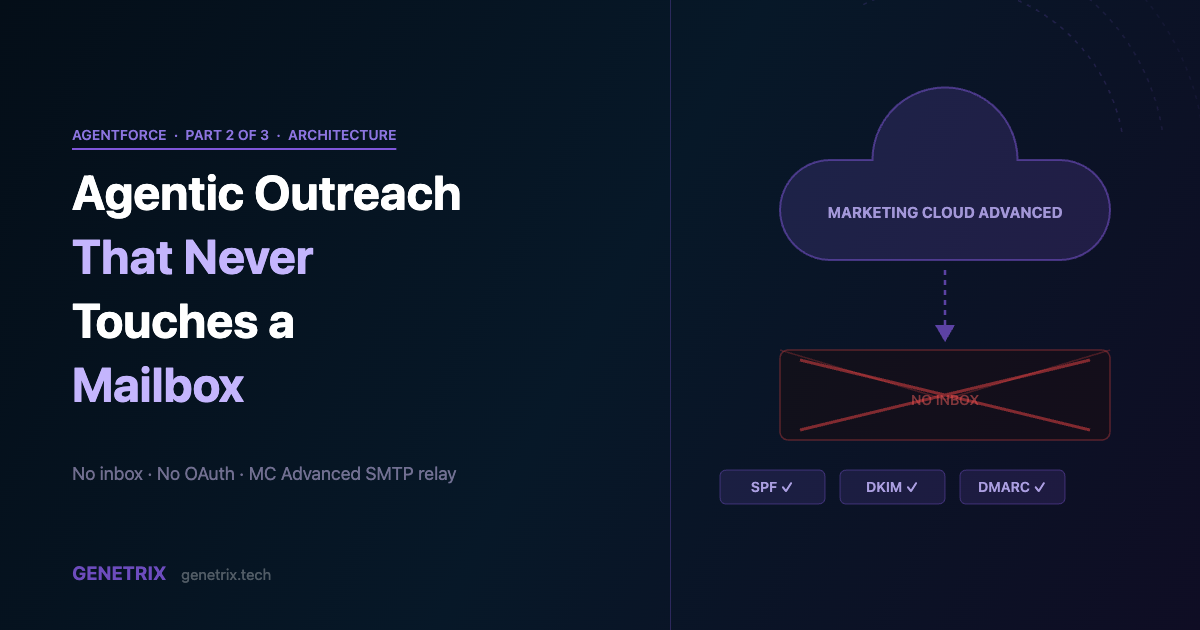
The first question every prospect asks when we pitch AI-driven outreach is: “Which inbox does it send from?” It’s a reasonable question if you’re thinking about this as a smarter email tool. It stops being the right question the moment you understand how the Customer Engagement Agent actually sends.
The answer is: it doesn’t use an inbox at all. It sends through Marketing Cloud Advanced — an enterprise email infrastructure platform that was never designed as a human mailbox and has no mailbox to connect, monitor, or maintain. That distinction changes almost everything about how you architect, warm, and protect your sending reputation.
01 — Why This Is Architecturally Different
No inbox. No OAuth token. No IMAP password.
Most AI outreach tools are layered on top of Gmail or Outlook. They authenticate via OAuth, read and write to your inbox, and inherit every deliverability risk that comes with sending from a domain that also carries your internal business mail. When a prospect marks one of those sends as spam, it hits the same sender reputation as your CEO’s emails.
Marketing Cloud Advanced works differently. Salesforce operates shared MTA infrastructure with dedicated IP pools. Your sends go out through MC’s sending infrastructure — not through your email server, not through a connected inbox. The Campaign is configured with an authenticated from address (a domain you own, with SPF and DKIM records pointing to MC), but MC itself is the SMTP relay. The message never touches your Exchange or Google Workspace server.
Practical implication: when you evaluate the Customer Engagement Agent, there’s no email account setup step. The “connect your inbox” screen that every other outreach tool opens simply doesn’t exist.
02 — Domain Authentication From Scratch
The three DNS records you need before anything sends
Because MC is the relay, the authentication proof lives in your DNS zone file — not in a client-side OAuth consent screen. You need three things published before the agent can send a single message.
| Record | What It Does | Published By |
|---|---|---|
| SPF | Authorises MC’s MTA to send on behalf of your domain | Your DNS provider |
| DKIM CNAME | Delegates DKIM signing to MC’s key management service | MC generates key; you publish the CNAME |
| DMARC | Instructs receiving servers on how to handle failures | Your DNS provider (p=none to start) |
Marketing Cloud walks you through generating the DKIM CNAME key inside Account Settings → Sender Authentication Package. The CNAME value it generates is a long subdomain that delegates signing to MC’s infrastructure — you publish it in DNS, MC handles the private key. SPF and DMARC are standard zone records you author yourself.
On a typical enterprise DNS setup this takes one to three business days, which is the primary reason we tell clients to open the domain authentication ticket on day one of a Customer Engagement Agent POC, not day five.
03 — The Sending Architecture at Runtime
From Campaign Brief to delivered email
send-flow.txt
1. Lead enters MC Campaign segment
2. Flow reaches "Forward to Agent" step
3. Agentforce Customer Engagement Agent reads:
     - Lead record (SF Sales Cloud)
     - Unified Individual (Data Cloud)
     - Campaign Brief (MC)
     - Agent Core Messaging config
4. LLM generates personalised email body
5. Trust layer checks: PII, toxicity, brand policy
6. MC Advanced SMTP relay picks up the send:
     - From: configured authenticated address
     - Signed: DKIM private key on MC MTA
     - Delivered via: MC dedicated IP pool
7. Activity logged → Messaging Session
8. Reply (if any) → Manage Replies mode
     OR new nudge on configured interval
04 — Reputation Isolation
Why this matters more than most clients realise
The separation between your sending domain for outreach and your corporate mail domain is not optional good practice — it’s table stakes for any programme at scale.
Dedicated sending subdomain. Use outreach.yourdomain.com or engage.yourdomain.com rather than yourdomain.com for all MC sends. If a cold outreach campaign gets flagged, the damage stays on the subdomain’s reputation — not on the domain your employees and customers depend on for everyday email delivery.
Dedicated IP warm-up. MC Advanced allows dedicated IP pools. A fresh IP has zero reputation history. ISPs apply conservative throttling until you demonstrate consistent, wanted sending. A warm-up schedule — starting at 1k sends/day and growing over 4–6 weeks — is non-negotiable for a new programme at volume.
Engagement-based segmentation. The agent sends to whoever enters the campaign segment. You control the segment. Include only contactable, recently-engaged, or genuinely high-fit Leads. Sending to stale lists before the IP is warm is the most common deliverability failure mode.
05 — The AI Disclosure Requirement
Not optional, not configurable — and that’s fine
Every email the Customer Engagement Agent sends opens with a mandatory AI disclosure: something to the effect of “This message was composed by an AI assistant.” This is not configurable in the Spring ’26 pilot. It appears before your subject line’s opening sentence.
We’ve run enough pilots to say confidently that this hasn’t been a conversion killer. Prospects who are going to disengage on principle disengage quickly and cleanly, which is useful signal. The ones who engage are fine with it. The more material constraint is the legal signature block — the agent appends a default Salesforce disclosure footer that isn’t brand-configurable in pilot. For most organisations this is cosmetically annoying but legally acceptable; for those with specific signature compliance requirements (regulated industries, custom unsubscribe mechanics), it’s worth a conversation with your Salesforce AE before committing to the timeline.
06 — When the Sending Volume Ceiling Becomes a Problem
And what to do about it
Marketing Cloud Advanced’s sending capacity is large — but Salesforce’s own per-org daily send limits cap how many Lead records the agent can initiate outreach to in a given day. For most mid-market B2B organisations this limit is never hit. For programmes targeting lists in the tens of thousands per month, it can become a constraint after the first few weeks.
When that constraint appears, the architectural response isn’t to replace the agent — it’s to split the stack. The agent continues to generate personalised per-recipient content in Salesforce, and the send itself moves to Marketing Cloud Growth, which operates under different volume economics. The next post in this series covers that architecture in full.
07 — Pilot Limitations Summary
Seven constraints that affect this architecture specifically
1. Email only in pilot
The Buyer Engagement template is email-channel only in Spring ’26. WhatsApp, SMS, and web chat variants are on the roadmap but not currently available.
2. Marketing Cloud Advanced is mandatory
MC Growth (the new lower-cost tier) cannot be the send channel for the Customer Engagement Agent in this pilot. If your org is on MC Growth only, you’re waiting for a future release.
3. English only
All agent-generated content is in English. Language detection and localised output are not available in pilot.
4. No custom signature
The agent footer is the default Salesforce legal disclosure. Brand signature blocks, rep attribution, and custom unsubscribe text are not configurable.
5. Reply threading is session-based
Conversation context lives in the Messaging Session, not in a CRM activity log. Association to the Lead record requires a manual or triggered helper process.
6. No mid-cadence exit for individual Leads
Once enrolled, a Lead can’t be removed from the active cadence except by opting out. Eligibility logic must be applied at segment entry, not mid-run.
7. No metadata deployment
Sandbox-to-production promotion is a manual rebuild. The agent configuration doesn’t travel through change sets or the Metadata API.
Already have Marketing Cloud Advanced?
Most of the complex work is in DNS, data model, and IP warm-up — not the agent configuration itself. We’ve got a ready-made POC checklist. Let’s talk through your environment.









