
Every Salesforce Marketing Cloud project starts with the same problem: too much to build, too little time, and a team that has done half of it before — just not in a way that is reusable.
Custom Data Extensions built from scratch for every client. Automation Studio canvases rebuilt from memory. SQL queries rewritten because nobody documented the last one. Cloud Pages recreated because the previous version lives in a client’s org you no longer have access to.
At Genetrix, we solved this years ago by building an internal library of SFMC Accelerators — pre-built, production-tested components that cut implementation time in half. Today we are opening access to the full package.
What Are SFMC Accelerators?
Accelerators are pre-built, documented, ready-to-deploy components for the most common Salesforce Marketing Cloud implementation patterns. Instead of architecting a solution from a blank canvas, you start from a tested foundation — then adapt the variable layer (field names, business rules, audience criteria) to your specific use case.
The difference in implementation speed is not marginal. A Genetrix developer using the accelerator package on a new client org completes setup tasks in hours that would otherwise take days. The QA burden is also dramatically lower because the core logic has already been tested across multiple production environments.
What Is Inside the SFMC Accelerators Package
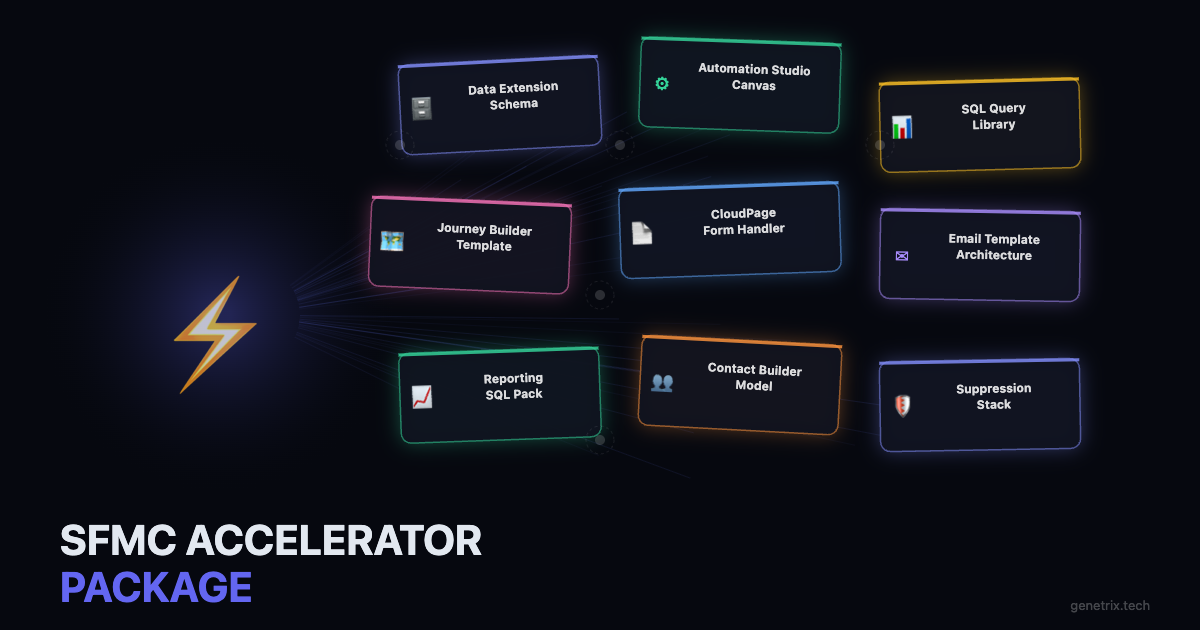
The Package Includes Pre-Built Components For:
- Contact Builder data model templates — standard attribute group layouts for B2C, B2B, and hybrid SFMC implementations
- Automation Studio canvas templates — documented multi-step automation workflows for common use cases including daily refreshes, triggered imports, and scheduled suppressions
- SQL query library — 15+ production-tested queries covering deduplication, engagement scoring, suppression stacking, and cross-DE joins
- Journey Builder entry source templates — API event, audience refresh, and date-based entry patterns with decision split logic pre-wired
- CloudPage form handler templates — lead capture and preference centre pages with server-side validation and SSJS write-back to Data Extensions
- Email template architecture — modular HTML email scaffolding with dynamic content blocks, AMPScript fallback logic, and dark-mode media query support
- Data Extension schema library — standard sendable, non-sendable, and relational DE schemas for the most common SFMC use cases
- Reporting SQL pack — query templates for building custom engagement dashboards from _Sent, _Open, _Click, and _Bounce system DEs
Free access · Pre-built SFMC components · Production-tested by Genetrix
How to Use the Accelerators on a Real Engagement
Each accelerator component ships with a short deployment guide: what the component does, which SFMC features it depends on, the variables you need to update before deploying, and known edge cases to watch for in production.
The recommended sequence for a new client engagement is to start with the Data Extension schemas, then import the relevant Automation Studio canvases, then wire up the SQL queries. The Journey Builder and CloudPage templates come last, once your data model is stable.
Frequently Asked Questions
Most components work with SFMC Corporate edition or above. The Automation Studio canvases and SQL queries require the Automation Studio and Data Extensions features, which are available from Corporate edition. The Journey Builder templates require Journey Builder, available in Corporate and Enterprise editions. CloudPage components require a CloudPages licence.
Yes — these are designed for professional use by SFMC practitioners and consultants. We ask that you do not redistribute the package as a standalone product, but adapting and deploying the components on client implementations is entirely within scope.
Yes. All SQL queries in the package are written in the T-SQL dialect that SFMC’s Automation Studio Query Activity uses. They have been tested in live SFMC orgs across Enterprise and Corporate editions. Standard T-SQL functions like ROW_NUMBER(), DATEDIFF(), and ISNULL() are used throughout.
We update our internal library as we build new patterns on client work and as Salesforce releases platform updates that affect implementation patterns. Follow Genetrix on LinkedIn or subscribe to our blog to be notified when the package is refreshed.
Need a Faster SFMC Implementation? Let’s Talk.
Genetrix delivers Salesforce Marketing Cloud implementations faster and with less technical debt than the industry average — because we build on tested architecture, not improvisation. If you have an upcoming SFMC project, our team is ready to scope it.









